Features

Everything FastQuote does, from the first sketch to the review.

One app for the customer side of a fence job, with the CRM built in: price it, propose it, get it signed, collect the deposit, build it, bill it and ask for the review. Every feature is included for $99 a month.

Sell the job

Estimates and proposals that close.

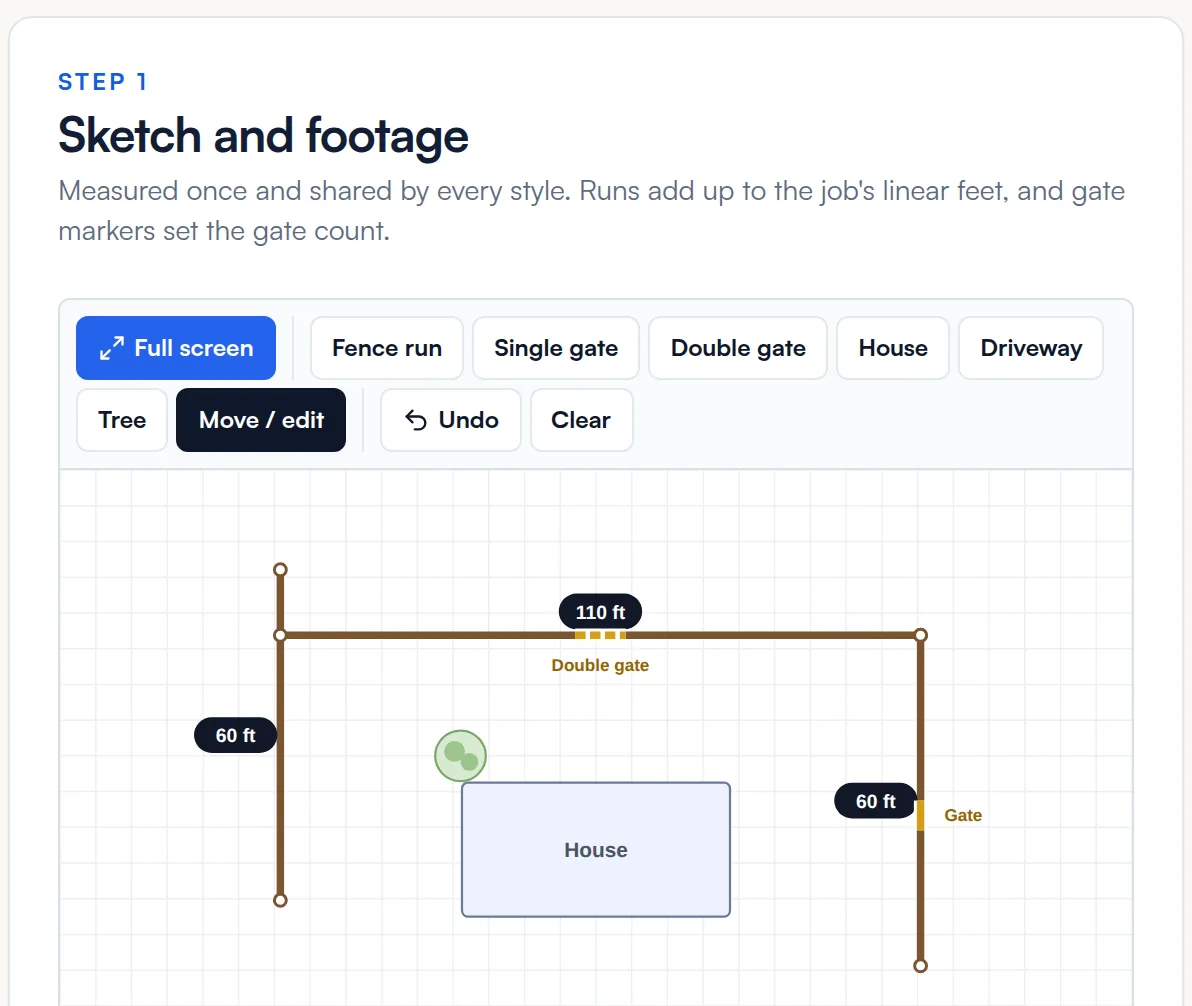
Fence sketch

Draw the fence once. Every style prices from the same sketch.

Drag out each run or tap the corners, drop in single and double gates, and add the house, driveway or trees so the drawing makes sense to your customer. FastQuote totals the footage and gate count and prices the job from your price book.

  • Type an exact footage for any run
  • Full screen and pinch to zoom on a phone
  • Override the linear footage when you need to
  • Manual line items for work that is not a fence
How estimates work
A three-run backyard fence sketch with two gates in the FastQuote estimate builder
Price book

Enter your costs once and every estimate prices itself.

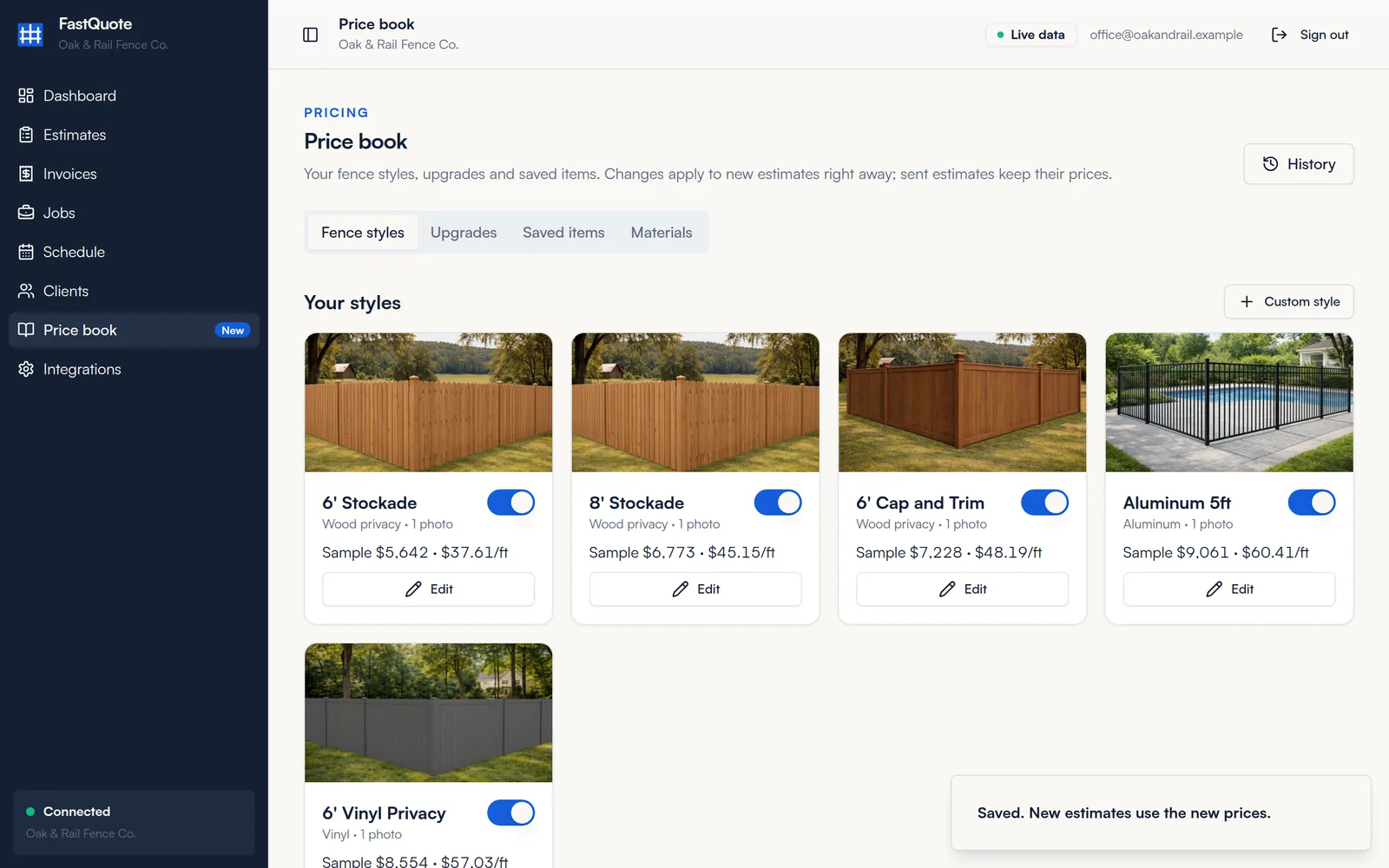
Start from a library of common fence styles and turn on the ones you sell with your installed cost per foot, single gate and double gate. Add upgrades with photos and saved items for the extras you quote all the time. Your costs stay private. Customers only see prices.

  • Starter library of common fence styles
  • Upgrades with photos and prices
  • Saved items for repeat line items
  • Default markup and commission on every quote
  • Price changes apply to new estimates only
How the price book works
FastQuote price book showing fence style cards with sample and per-foot prices
Materials pricing

Price from the posts, pickets and concrete you actually buy.

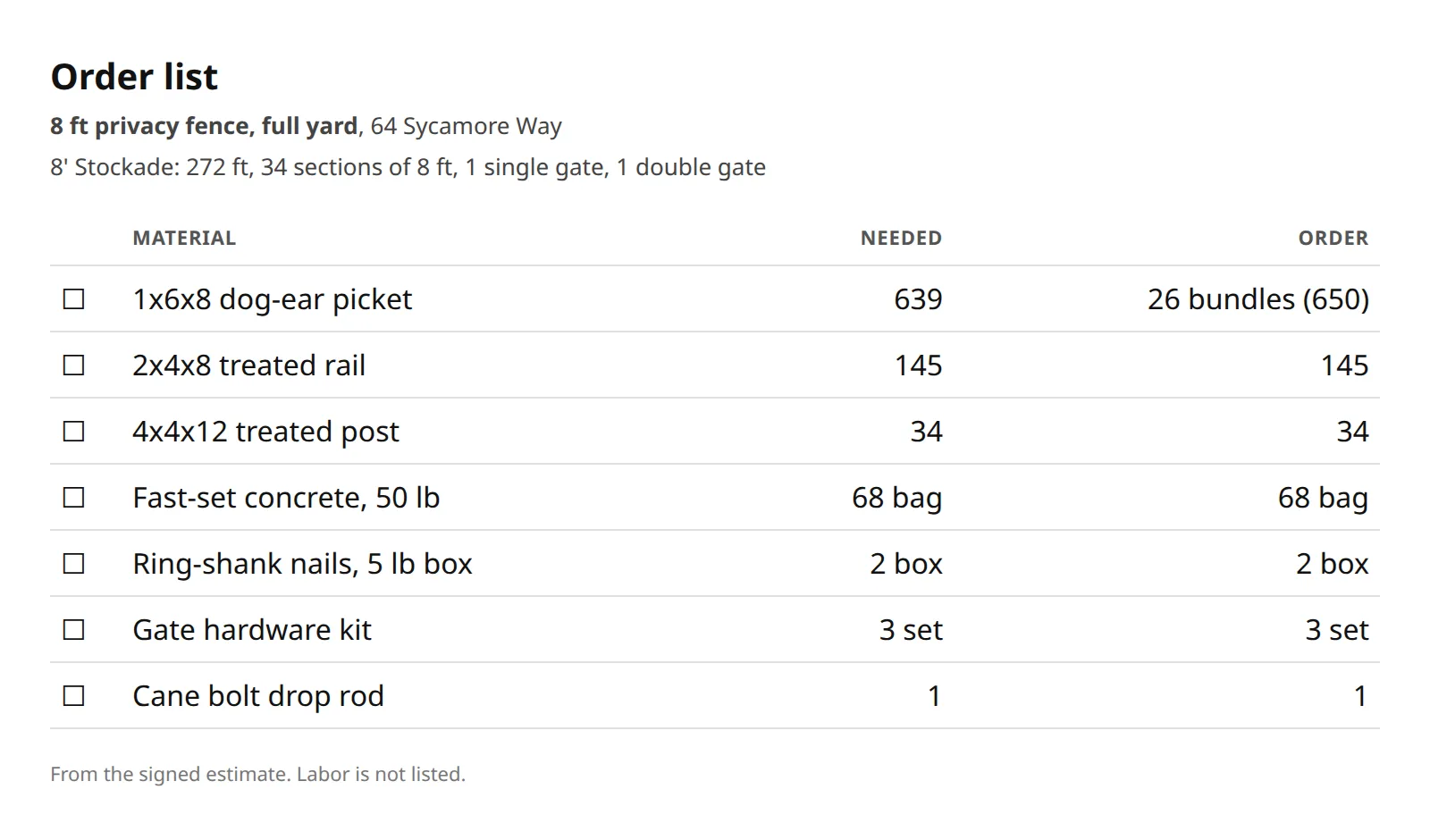
Switch any style to price from materials. List what goes into one section and one of each gate, and FastQuote counts what every job needs from the sketch. Change the price of a post once and every style that uses it updates.

  • Materials by the each, bag, foot, pack or box
  • Quantities per section, per foot or per job
  • Crew labor counted in cost, kept off the order list
  • Supplier order list for every job
How materials work
FastQuote supplier order list counted from a fence sketch
Proposals and e-sign

Good, better, best on one proposal, signed on a phone.

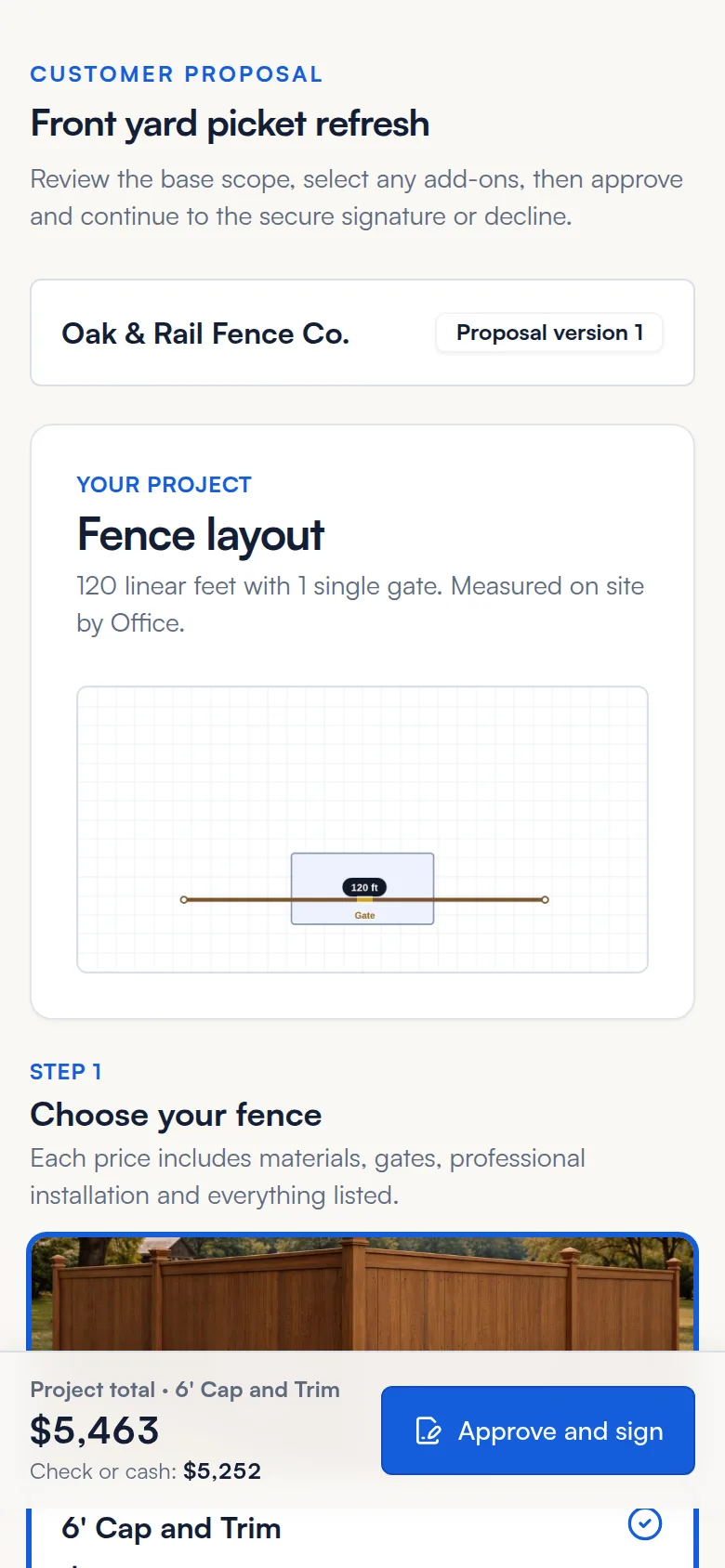
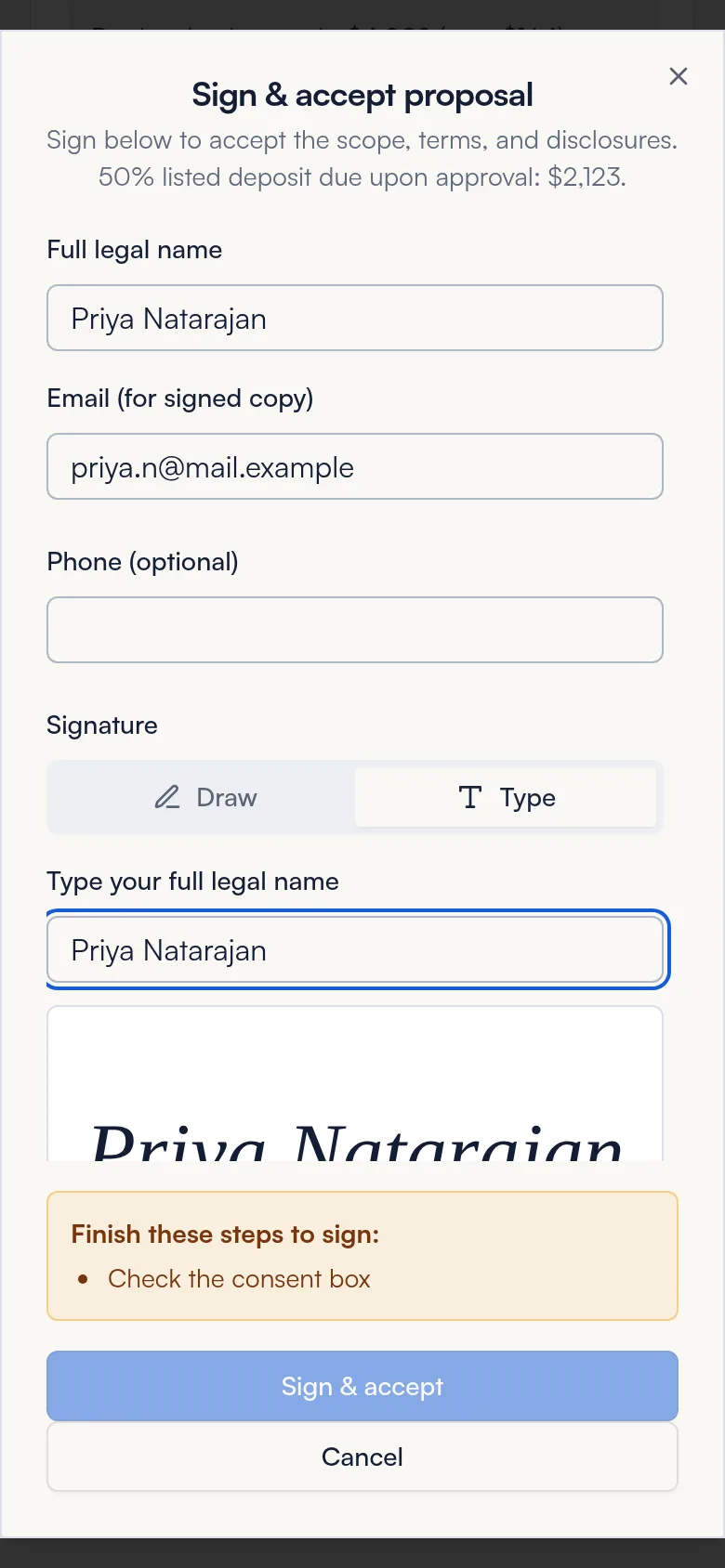
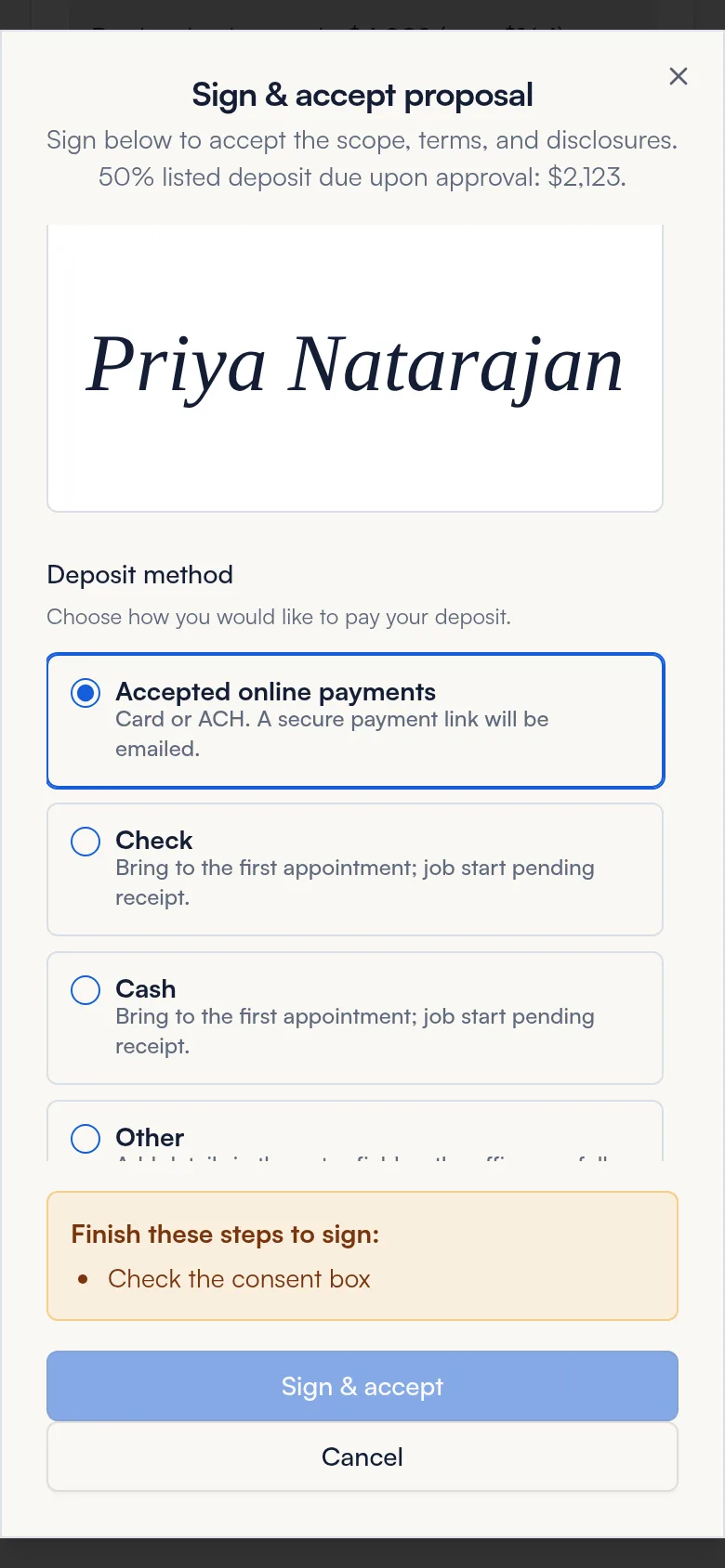
Offer up to four styles side by side with the base option marked as recommended. Your customer opens a link by text or email, compares styles, checks the add-ons they want and watches the total update. They draw or type a signature right there.

  • Up to four styles side by side
  • Optional add-ons with photos
  • Deposit shown before they sign
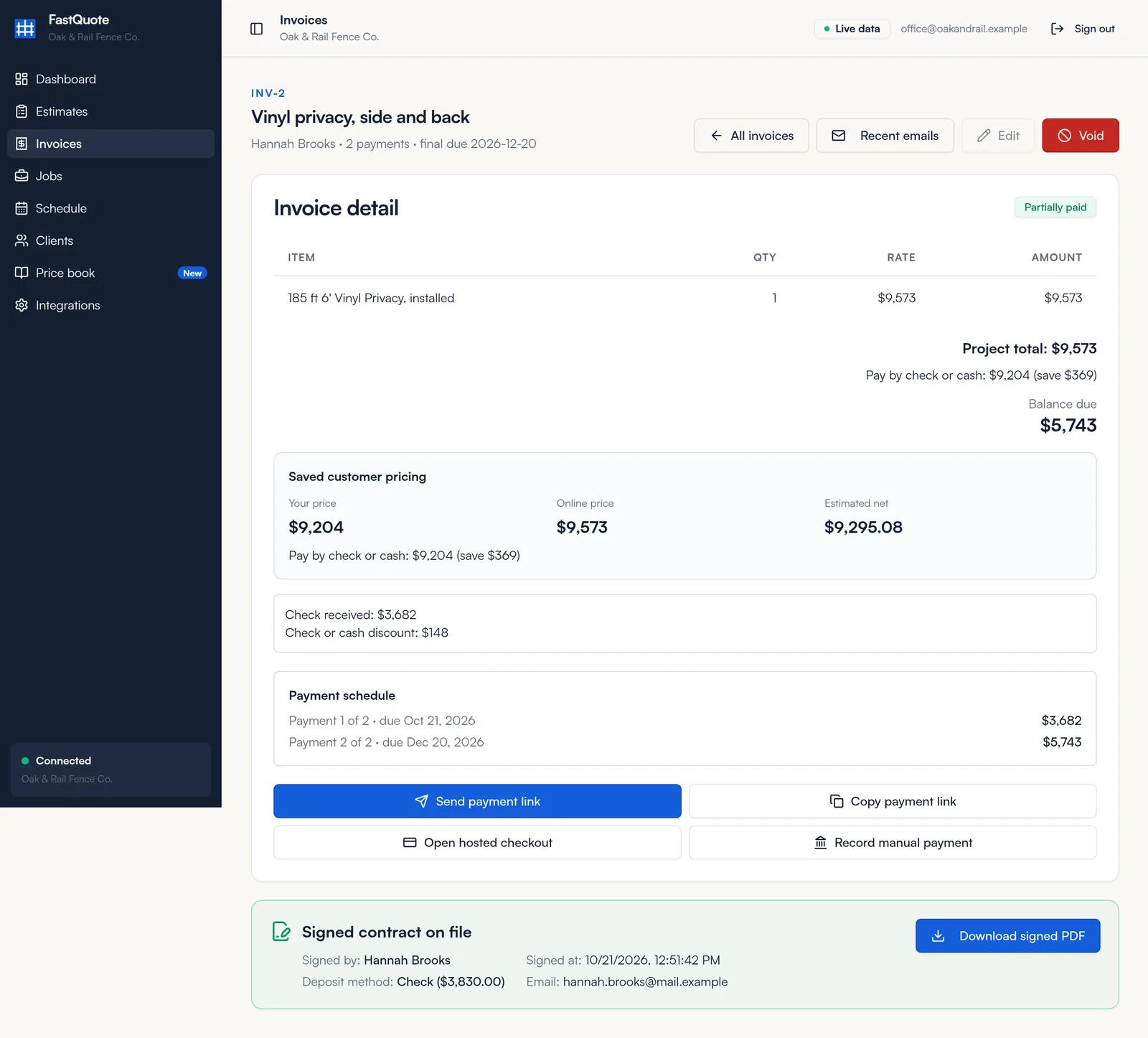
  • Signed PDF emailed and saved with the job
How proposals work
Customer view of a FastQuote proposal on a phone
Customer typing a signature on a FastQuote proposal
Build it

Jobs, the crew calendar and job cost.

Jobs and job cost

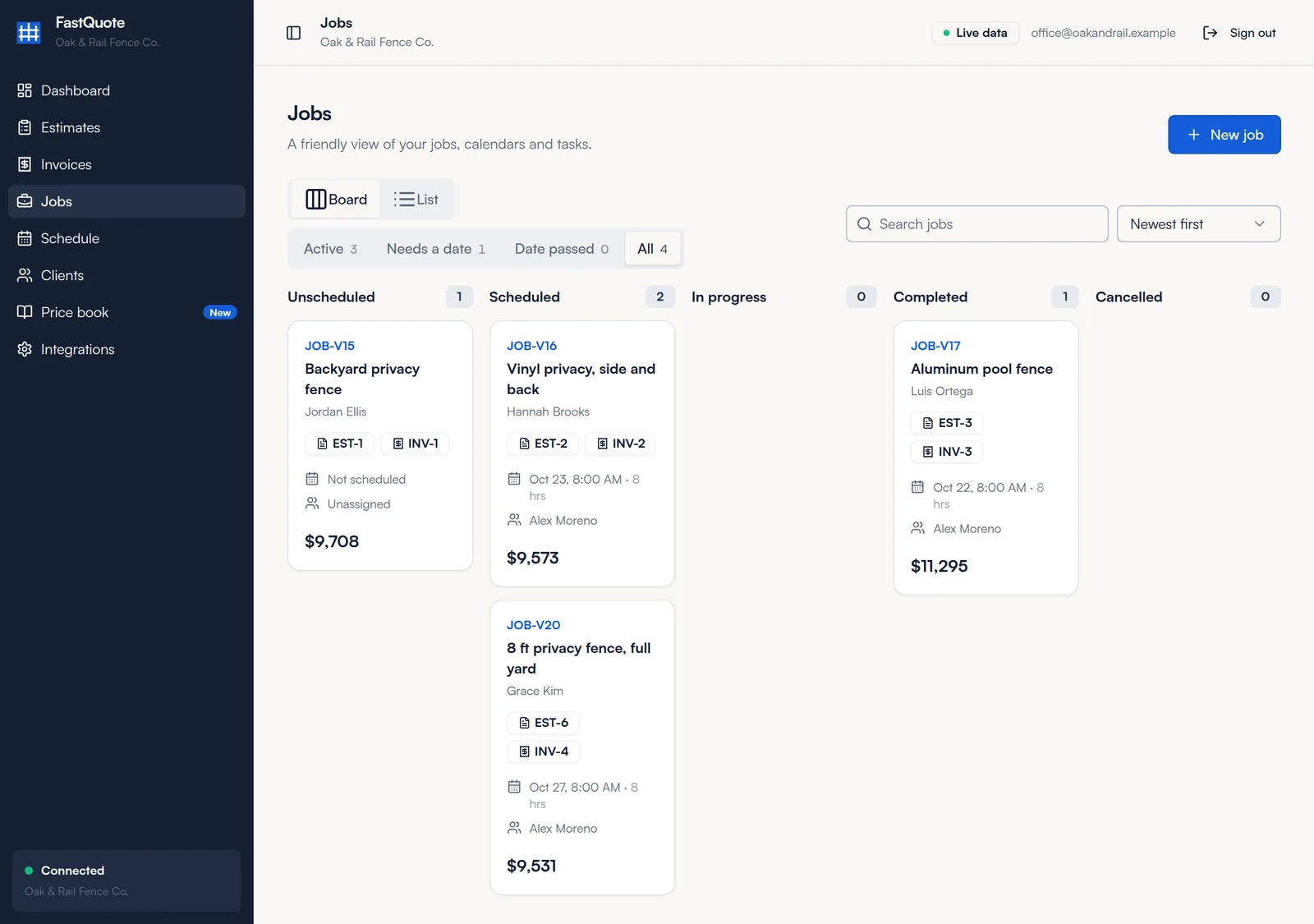
Every signed proposal becomes a job.

Follow each job on the job board, from unscheduled to scheduled, in progress and completed. For styles priced from materials, the job shows the materials list, the supplier order list, and the job cost and gross profit next to the contract value.

  • Jobs created at signing, or added by hand
  • Job board by status
  • Materials and supplier order list on the job
  • Job cost and gross profit
How jobs work
FastQuote job board with jobs grouped by status
Schedule

Book jobs into open times on the crew calendar.

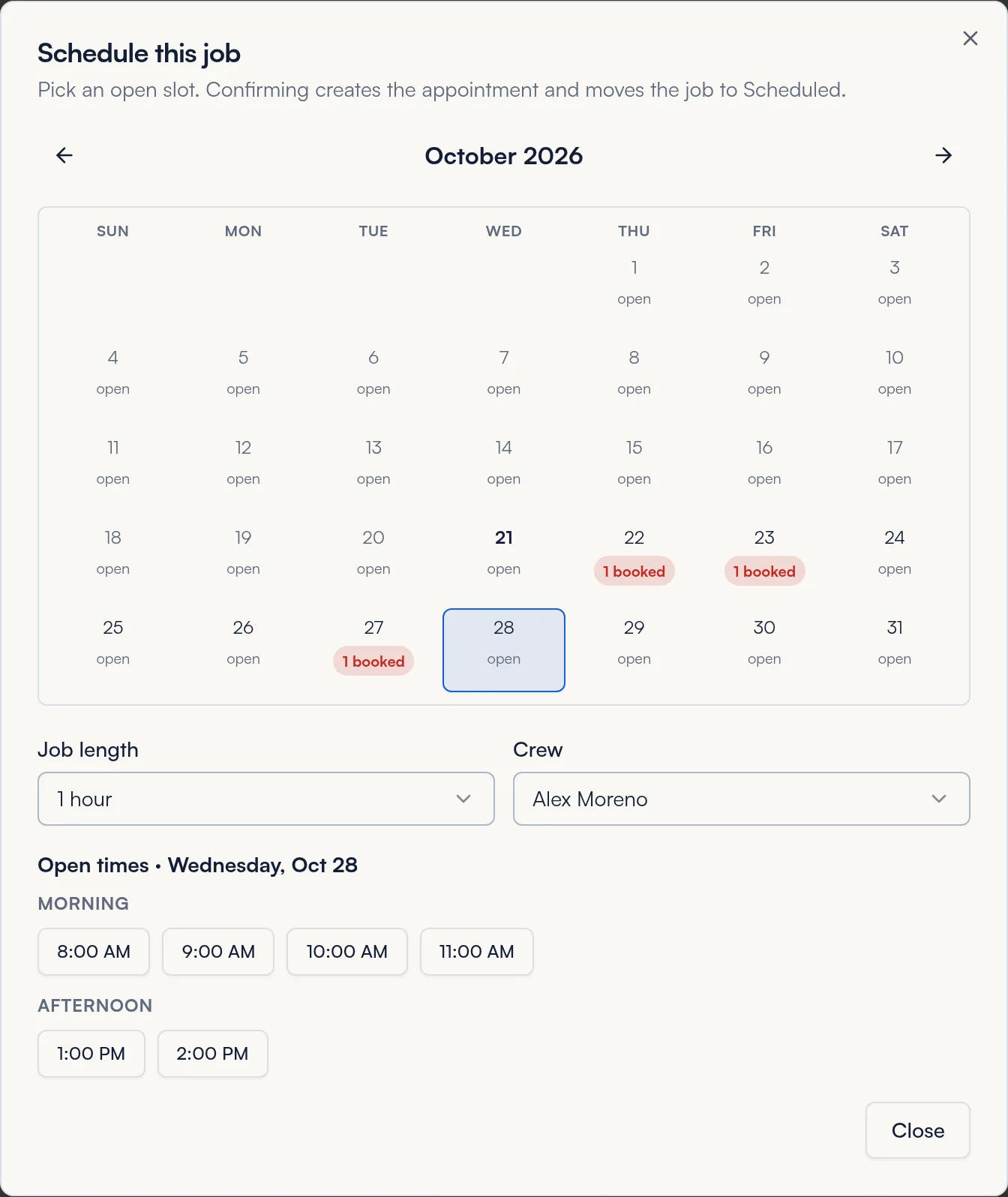
See the month at a glance, pick an open day, set the job length from 30 minutes to a full day, choose the crew and confirm. The booking shows on the calendar, the dashboard and the job board.

  • Month view with bookings per day
  • Open times from your calendar availability
  • Job length and crew on every booking
  • Reschedule in a few clicks
How the schedule works
Picking an open time and crew for a fence job in FastQuote
Run the business

See what needs you, and keep customers coming back.

Dashboard

Open the app and see what needs attention.

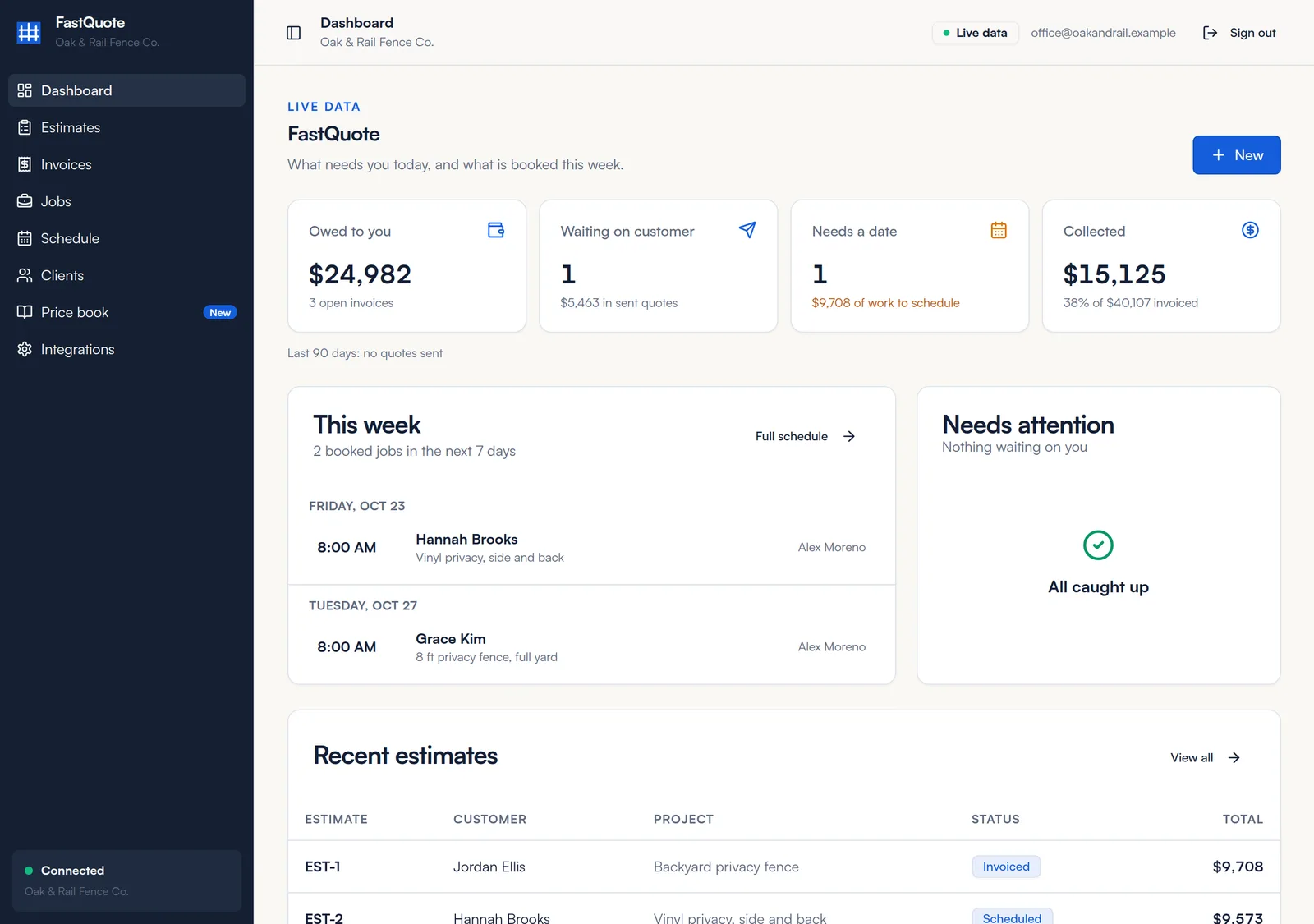
The dashboard shows money owed, proposals waiting on customers, jobs that need a date and what you collected this month. The Needs attention list flags overdue invoices, unpaid deposits, finished jobs without a final invoice and quiet proposals, each with a button to fix it.

  • Owed to you, waiting on customer, needs a date
  • Collected this month compared with last month
  • This week's bookings by day and crew
  • One-click reminders and follow-ups
How the dashboard works
FastQuote dashboard with summary cards, this week and needs attention
Built-in CRM

A CRM that already knows every estimate, job and invoice.

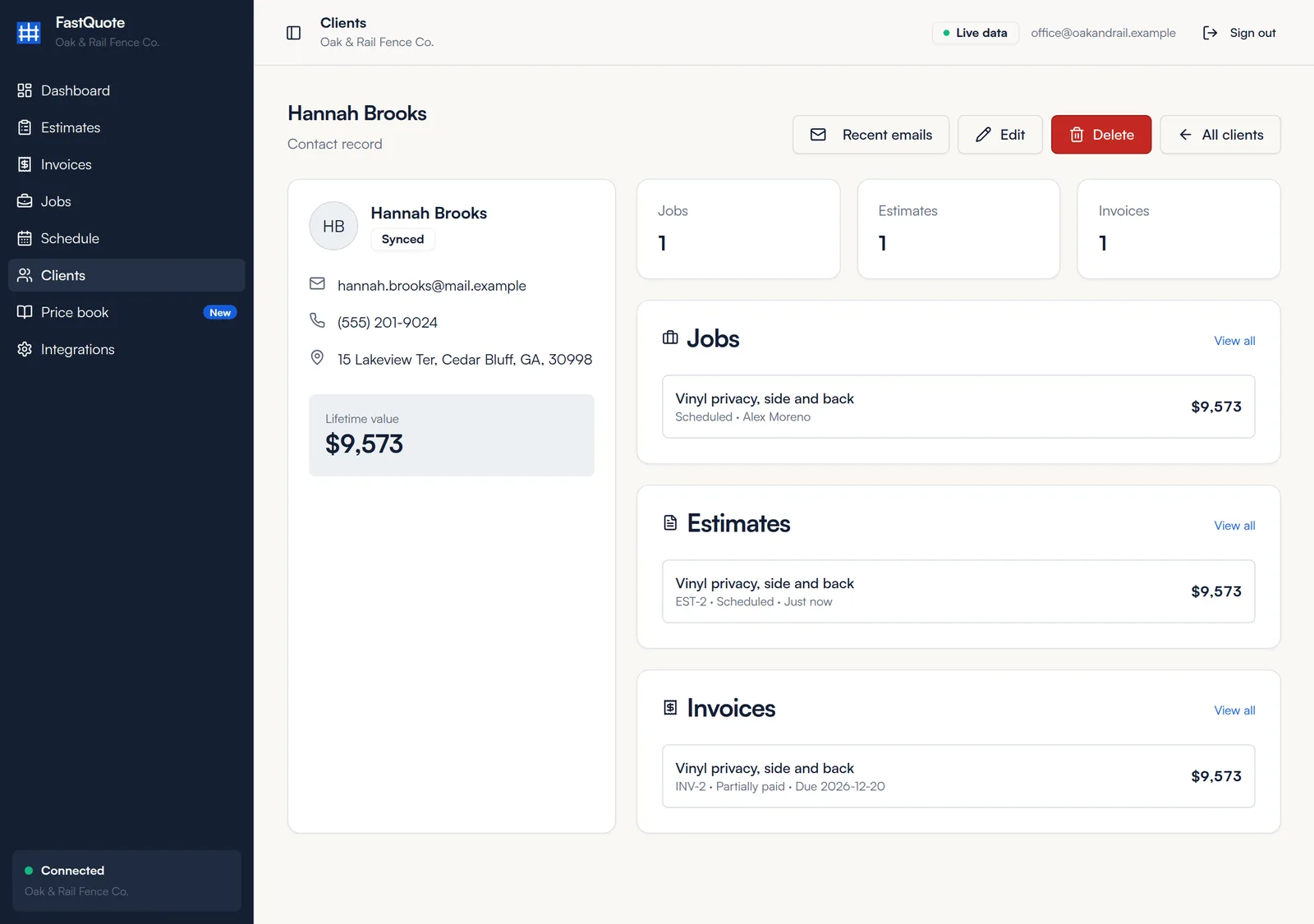
Every FastQuote account includes a CRM for your contacts, calls, texts, email, pipeline and calendar. Estimates, invoices, jobs and bookings are saved to the same customer record, so nobody types anything twice. Each client page shows contact details, lifetime value and every estimate, job and invoice. The Fence Branders team sets it all up for you.

  • Customers and leads in one list
  • Jobs tracked in the CRM pipeline
  • Lifetime value for every client
  • Recent emails sent to each customer
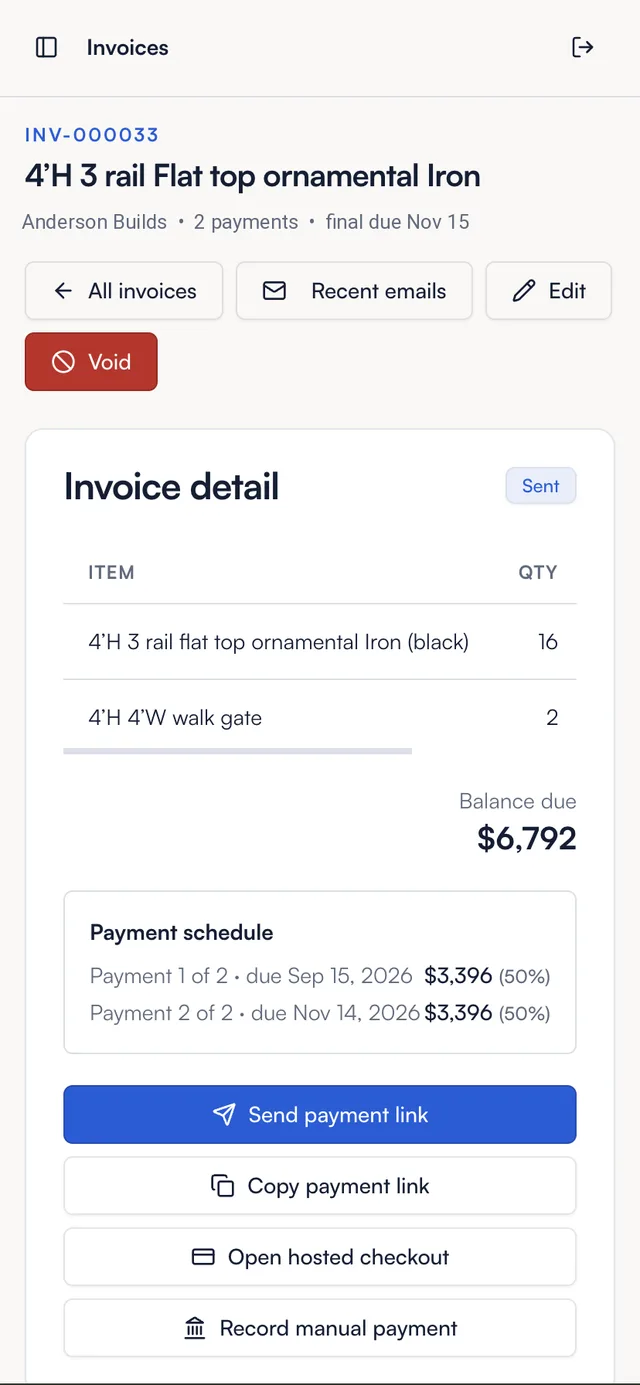
  • Proposals, invoices and reminders sent by email and text
How integrations work
A FastQuote client page with lifetime value and recent estimates, jobs and invoices
Reviews and follow-up

Ask for the Google review while the job is fresh.

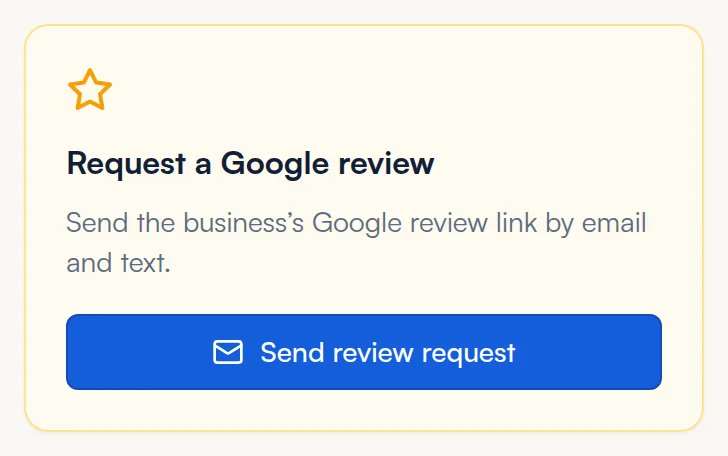
Mark the job completed and send your Google review link by email and text with one click, or have it go out automatically on every completed job. During setup, our team also configures an instant reply to new leads and follow-up texts on unsigned estimates and unpaid invoices.

  • Google review request on completed jobs
  • Instant reply to new leads
  • Follow-up texts on unsigned estimates
  • Follow-up texts on unpaid invoices

Automatic review requests and follow-up texts are configured for you during setup.

How reviews work
Request a Google review card with a send review request button
Works where you work

No installs, no customer logins.

Any device

FastQuote runs in the web browser on a phone, tablet or computer. Add it to your home screen and it opens like an app.

Nothing for customers to download

Proposals, invoices and payment links open from a text or email. Customers sign and pay without creating an account.

Set up with you

The Fence Branders team sets up your company defaults, connections and follow-up, then shows you around. The help center covers every screen.

What FastQuote does not replace

Keep your accounting software for bookkeeping, taxes and payroll. FastQuote handles the customer side of a fence job, from the estimate to the paid invoice.

Send your next proposal from FastQuote.

Tell us about your company and we will get your account set up. $99 a month, every feature included.